How to Send an Error Report
How to send an error report
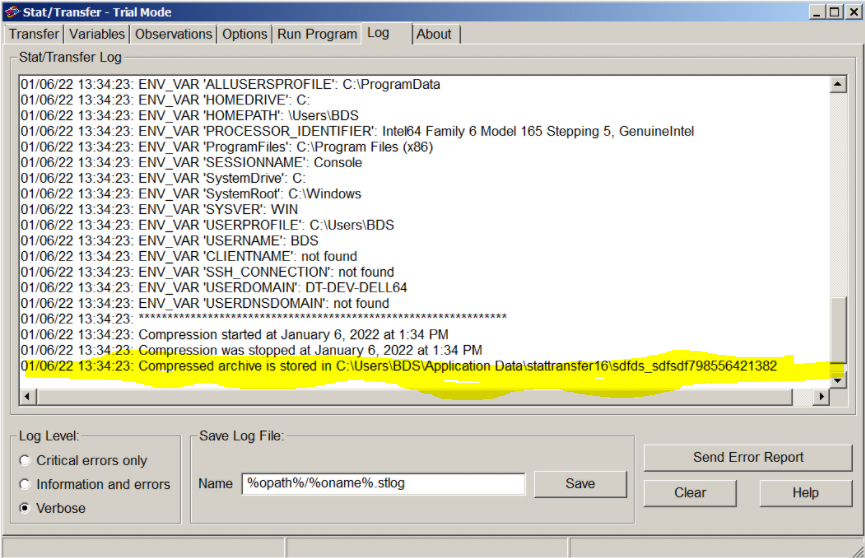
Prior to making the transfer, go to the Log tab and make sure "Verbose" is checked.

Then reproduce the problem (Transfer the file) and return to the Log tab.

Click "Send Error Report".
Fill out the form, giving us as much detail as possible.
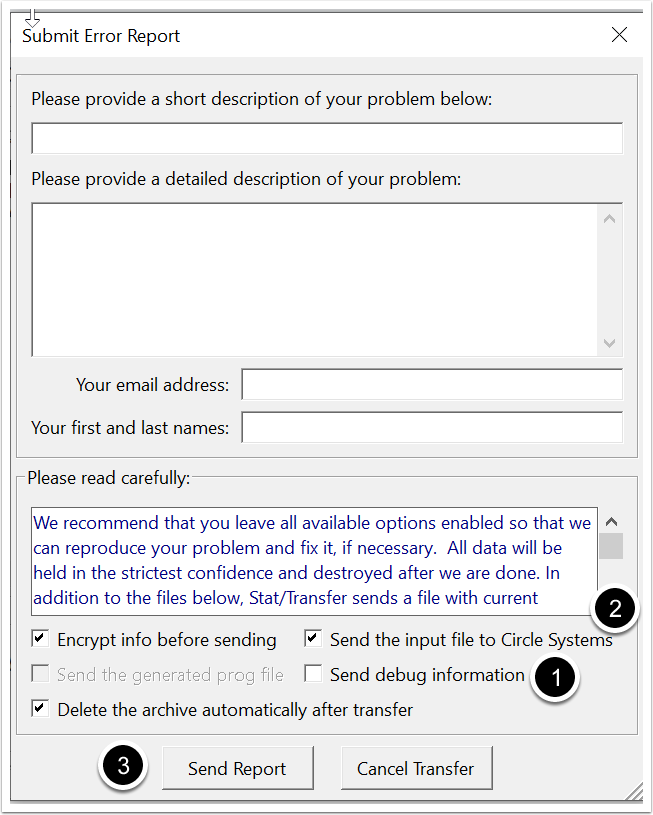
- Check "Send debug information." (1)
- If your security protocols allow, check "Send the input file to Circle Systems". This will attach your input file, which will give us a big edge in helping you. Your data will be held in the strictest privacy. (2)
- Click "Send Report." (3)
Note: If you have no internet connection, you can create an error report and send it to us by email or other means. Here's how:
- Uncheck "Delete the archive automatically after transfer" and proceed as above. Stat/Transfer will create a local file. The location of the file will be displayed at the end of the log.